

Create a Maintenance Work Order with One Prompt
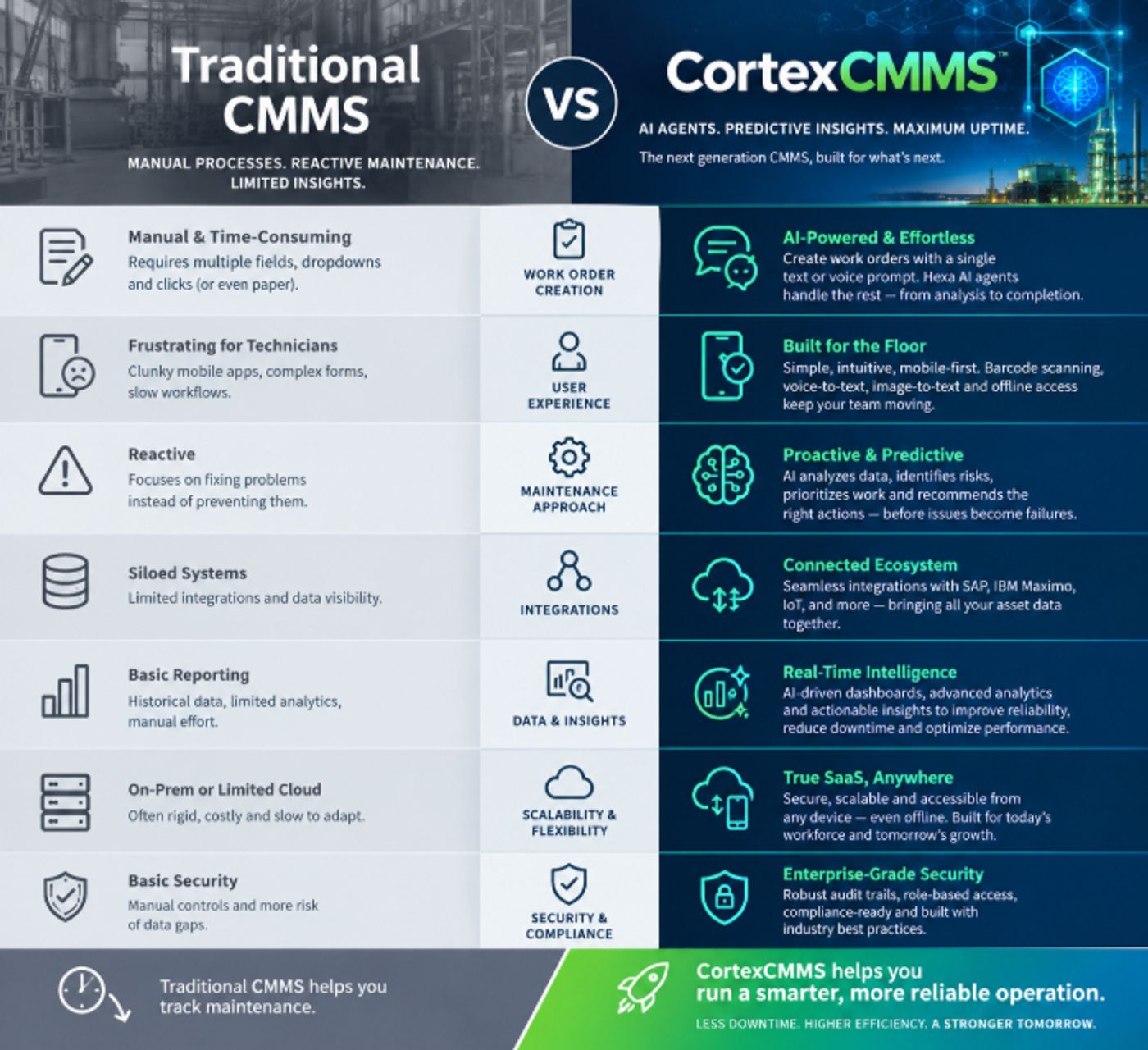
How CortexCMMS Hexa AI Simplifies Maintenance Stop typing through a dozen fields just to create a work order. With CortexCMMS Hexa AI, technicians can describe a maintenance problem in a single text or voice prompt—and let AI do the rest. The Problem with Traditional Mobile CMMS Work Orders For maintenance technicians, creating a work order shouldn't feel like filling out a tax form. Yet that's exactly what happens with many traditional CMMS (Computerized Maintenance Management System) platforms. A technician discovers a problem on the plant floor. They pull out their mobile device, open the CMMS application, search for the asset, enter a description, select a priority, choose a work type, find a procedure, identify parts, assign a technician, add notes, and work through multiple required fields. By the time the work order is finally submitted, valuable time has been spent managing the software instead of managing the equipment. The more fields technicians have to complete, the more likely they are to delay, simplify, or skip documentation.
What If Creating a Work Order Took One Prompt? That's the idea behind CortexCMMS Hexa AI. Instead of navigating through multiple screens, a technician can simply tell Hexa AI what they found. Example: Text Prompt "The cooling water pump P-204 is showing excessive vibration. Create a high-priority work order, inspect the bearings and coupling, and assign it to the rotating equipment team." Example: Voice Prompt The technician doesn't even have to type. They can simply speak the request. "Create a work order for pump P-204. It's vibrating more than normal. Make it high priority and have the rotating equipment team inspect the bearings and coupling." No keyboard. No scrolling through endless dropdowns. No hunting through menus. Just speak or type what needs to happen.